Reviving My Blog
Meet the new boss, same as the old boss.
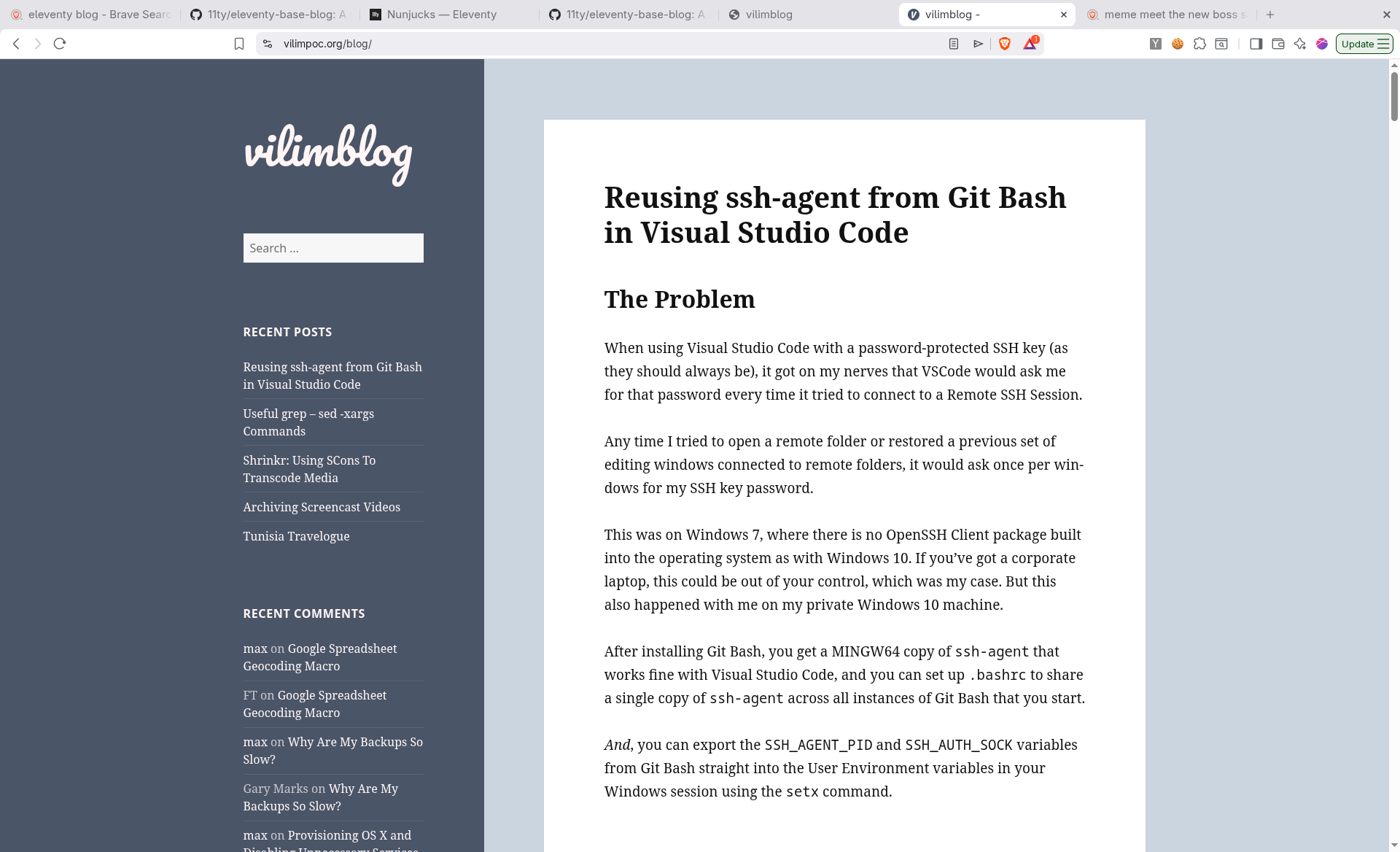
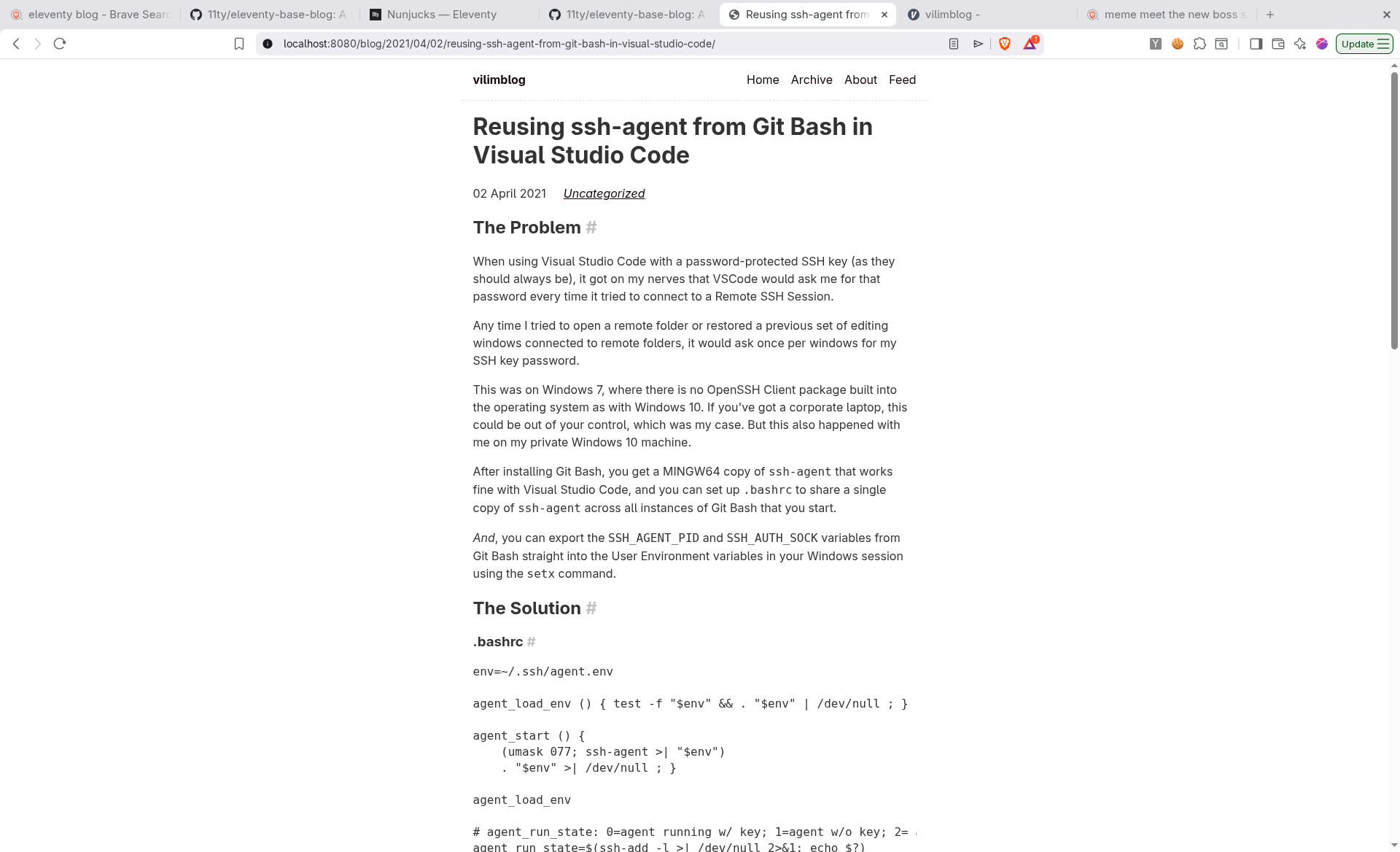
It's been a long time since I added entries to my blog.
2021 was the last time I updated it.
Part of this was a loss of motivation to write, the bigger part of this was the mountain of old posts stored as interlinked HTML files which I had exported from WordPress years ago.
I couldn't see a clean way to add new posts to the old structure w/o also possibly
breaking links or having to create a whole new parallel blog, something like a /blog2,
which would have annoyed my usual sensitivies.
Adding WordPress again was out of the question.
WordPress is kind of the worst. Its WYSIWYG editing hides all of the gory details of web development from noobs, but also makes it a mess to actually do useful things with the data you've put into it.
Plugins make it worse.
WordPress hides all of the content in a database and is overkill for a personal website. The notion of hitting a database every single time someone makes a web request against what should be a collection of static pages, this didn't jive with me anymore.
Getting the data out of WordPress the first time was annoying, and it left everything in a messy and hard-to-wrangle state of play.
I got lazy, I let the data sit, and I didn't want to do anything with it.
Five years passed.
Enter Claude
A month ago, I finally picked up a subscription to Claude Pro and have been mucking around exploring its capabilities.
I run it on Ubuntu inside of a VirtualBox instance, with read-only and read-write Shared Folders automounted, and these are then symlinked to whatever folder I want to work in.
I absolutely keep it away from my host system, too many horror stories make it clear this is a must.
I like to be precise in my use of language, and find the Claude Code interface at the terminal to be quite amenable to the way I think things through.
So, I asked it to convert a folder of all of my old posts from HTML to Markdown format, as a first step to roundtripping those Markdown files back out to clean, static HTML files.
I wanted an identical folder structure which would map out to the identical URL structure.
It exceeded my expectations, though there was some cleanup needed.
Stripping Noisy Highlighter
The raw exported HTML changes from this:
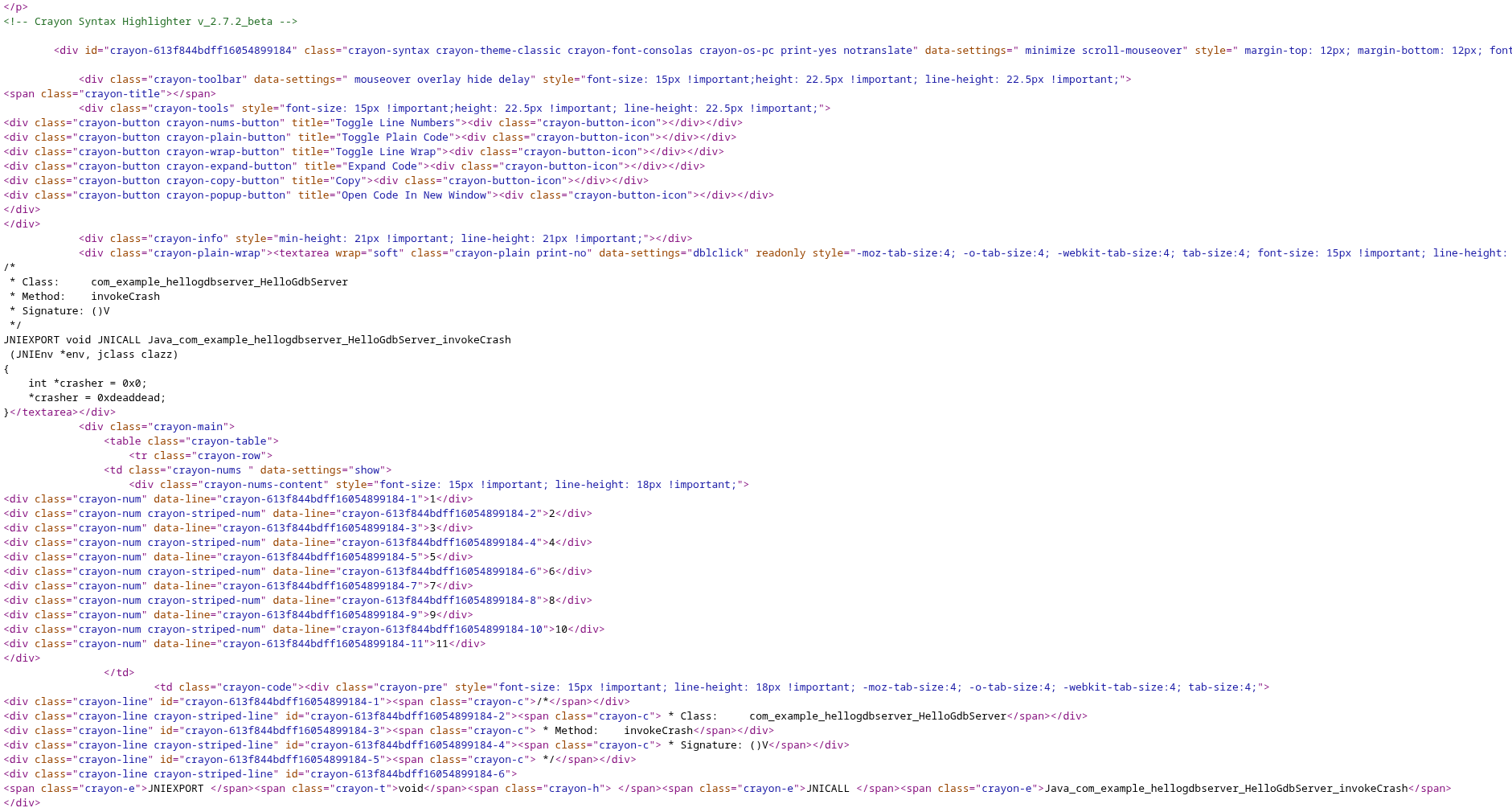
into this:
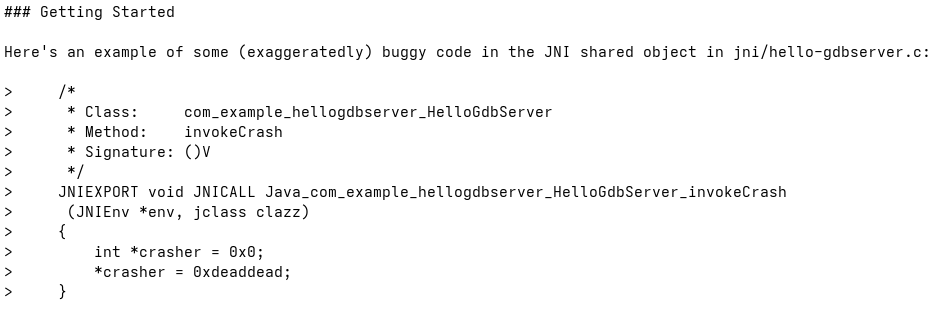
After a lot more fiddling and filtering, more commands to Claude to do this for me, the final output is really clean!
Consolidating Tags
WordPress encouraged tagging, but I went a little too specific, which then
generated all of these tag/index.md files with links to one or two posts
in them. Pointless.
All tags (21):
  #FirstWorldProblems
  3D Printing
  Android
  Arduino
  Berlin
  Brewing
  CSS
  Django
  ESP8266
  Food
  Hardware Hacks
  Localization
  Mechanical
  Python
  Quiz
  Riotboard
  Society
  Startups
  Tech
  Uncategorized
  emacs
Claude to the rescue to consolidate them:
When any of the following tags are seen ("#FirstWorldProblems", "3D Printing", "Android",
"Arduino", "CSS", "Django", "ESP8266", "Hardware Hacks", "Localization", "Mechanical",
"Python", "Riotboard", "Startups", "emacs") convert them to "Tech". Then remove any duplicate
"Tech" tags.
And a little more whittling down, leads to:
All tags (4):
  Food
  Society
  Tech
  Uncategorized
I'll fix the Uncategorized later.
Converting Blockquotes To Code Blocks
This would have taken me several hours, but Claude went through in about 10 minutes to convert and to assign types to log outputs and code blocks. This is a huge timesaver.
"Go through the Markdown files and analyze the contents of blockquotes, then set the
type of blockquote based on what you think the contents are, i.e. bash commands,
source code, etc."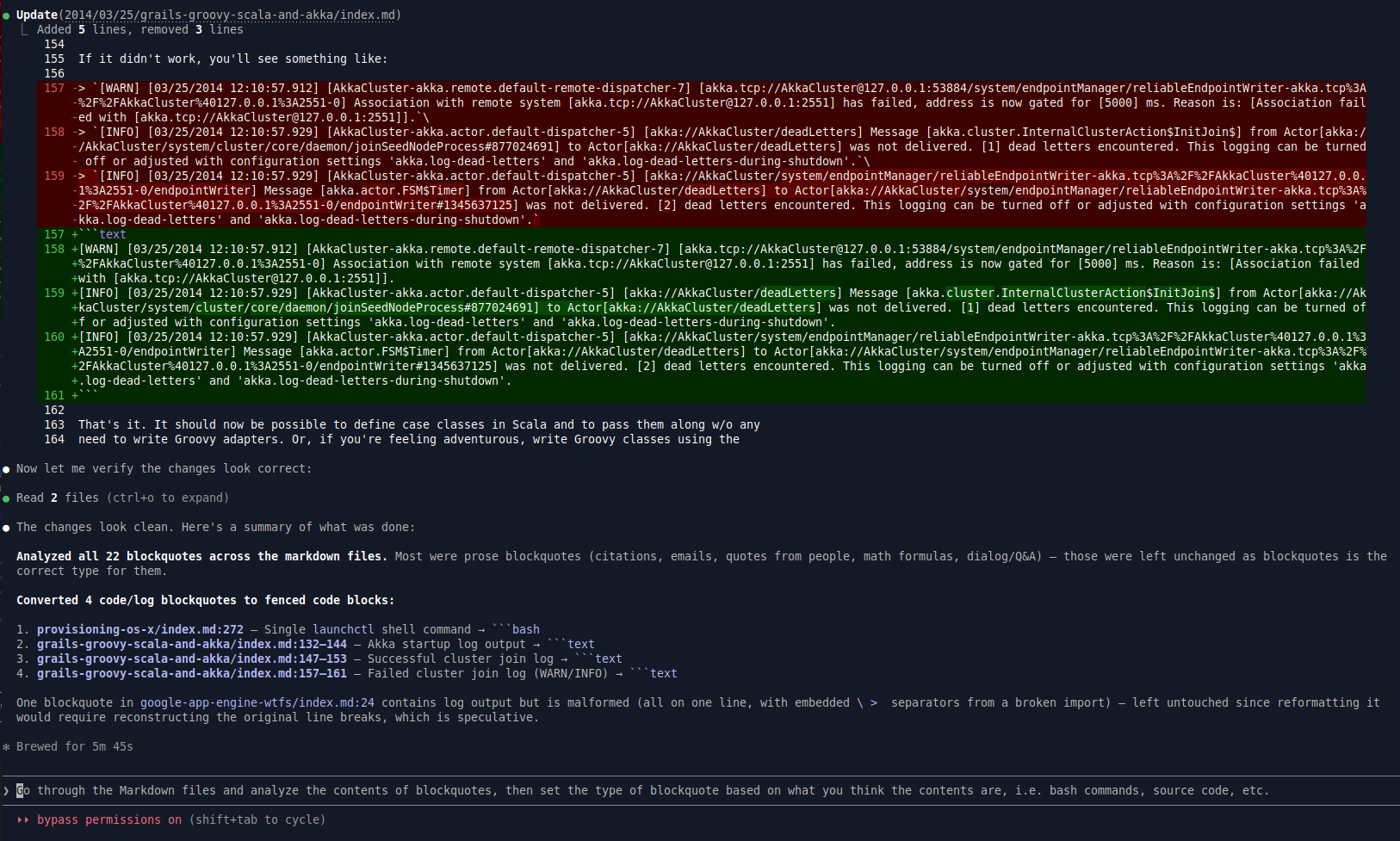
And one more time on the Code Blocks types:
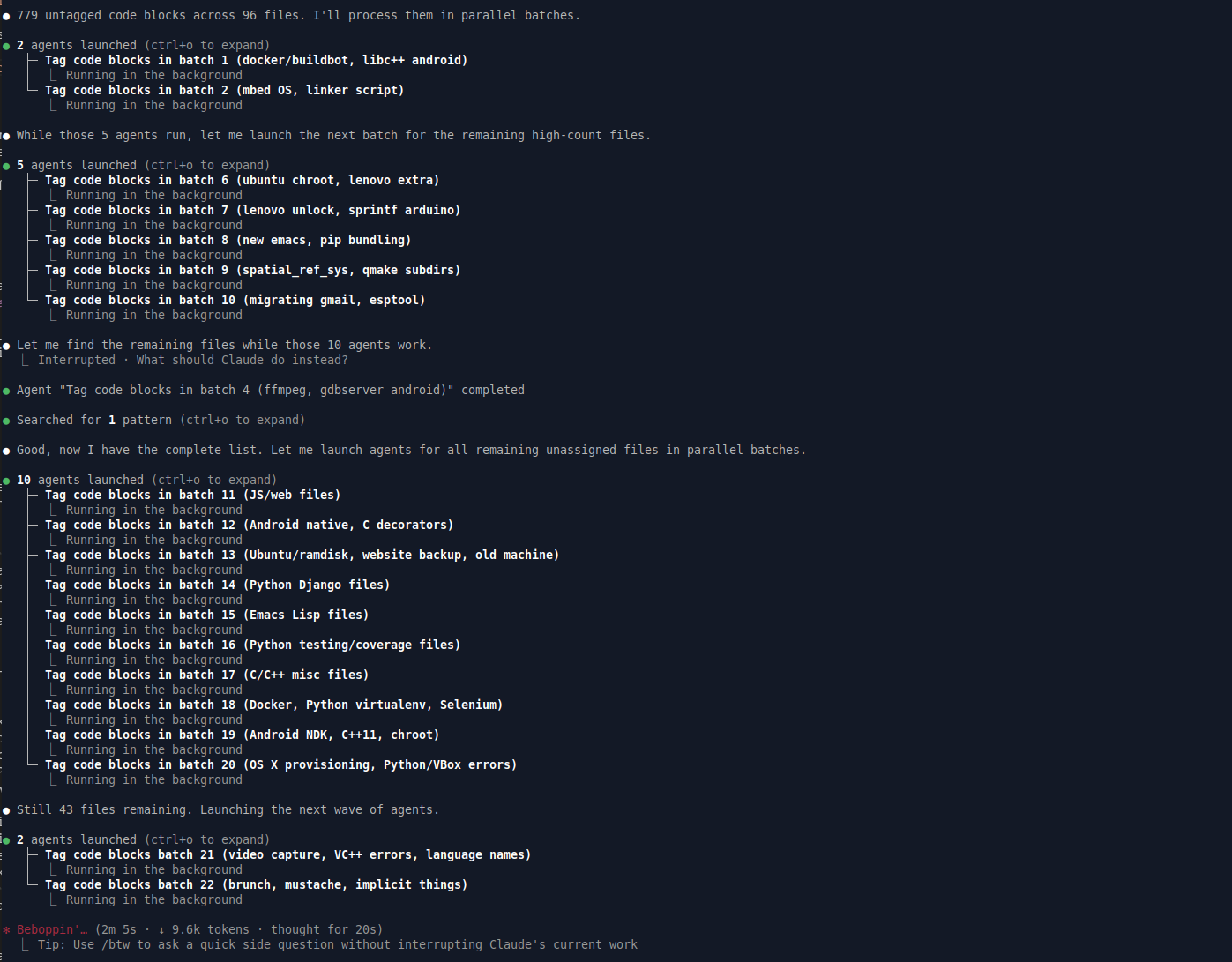
This would have taken me several hours, quite some time.
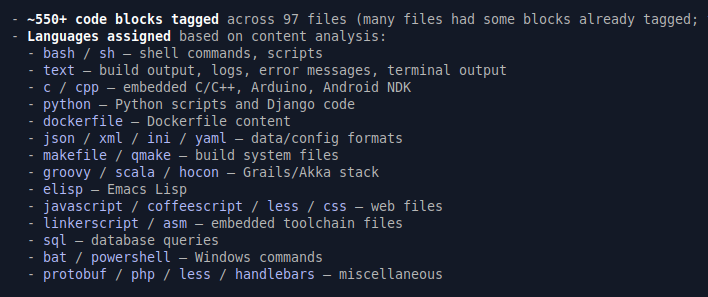
Converting Consecutive Monospace Blocks To Code Blocks
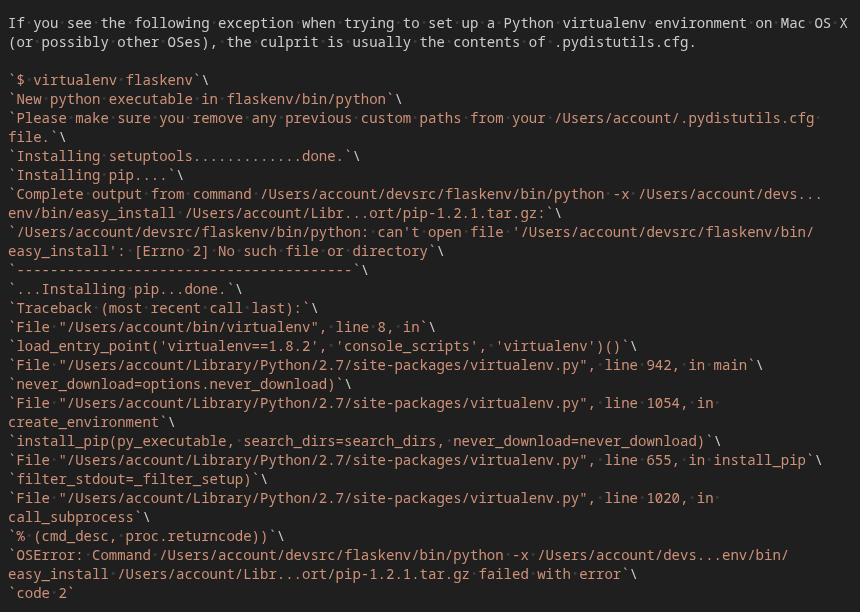
There are some more weird blocks that need proper conversion.
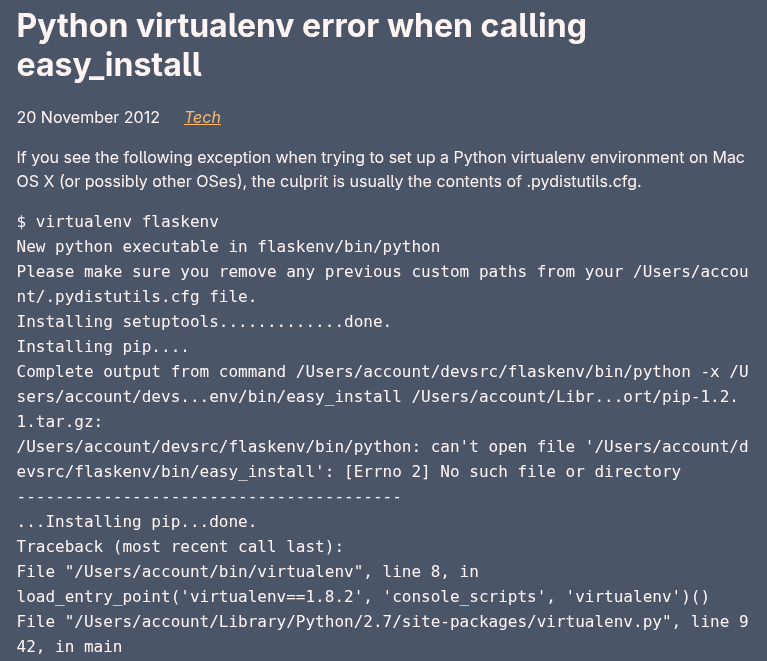
The source for this looks as follows, which is weird.
More Formatting Fixes
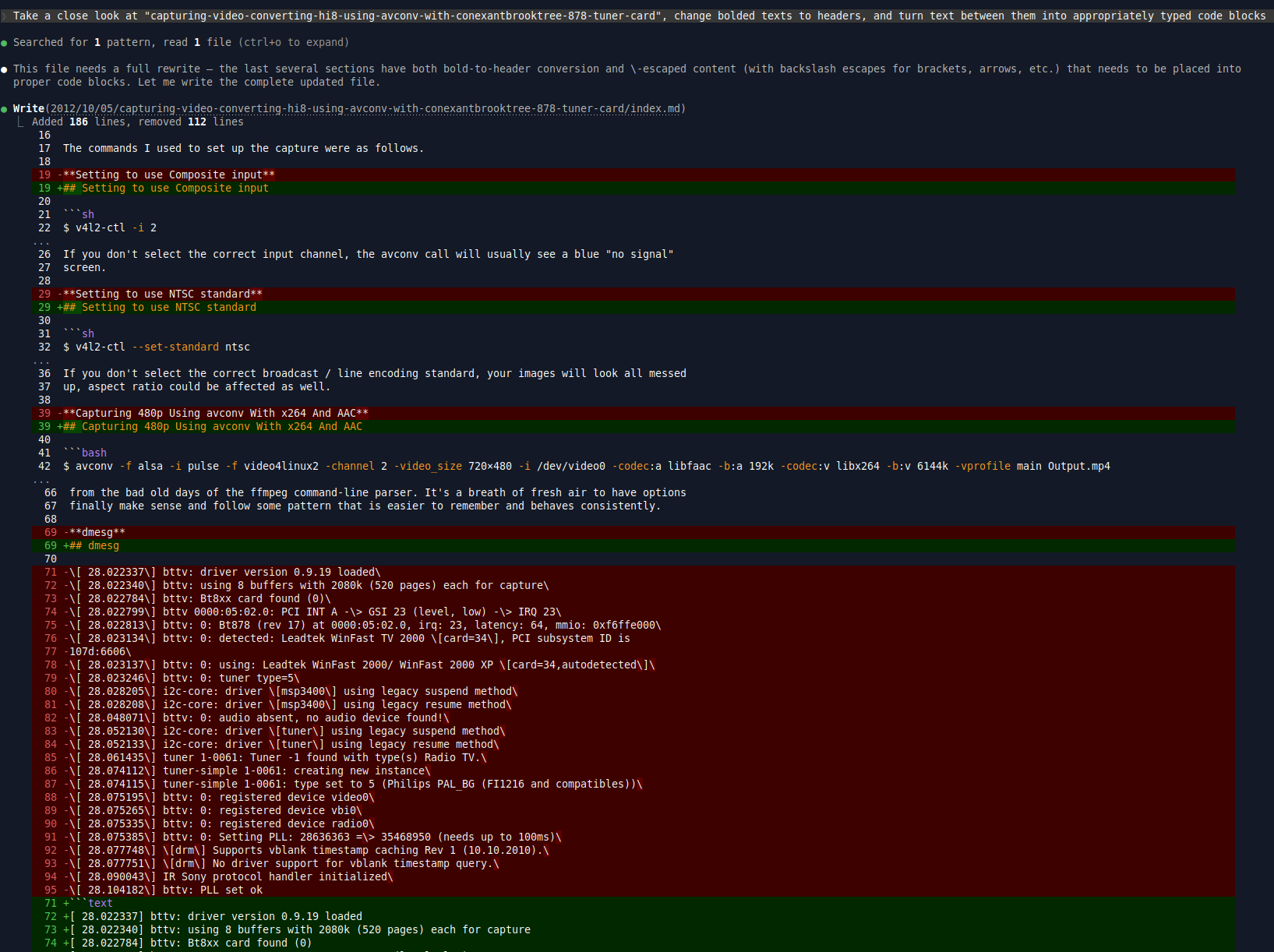
There were some files with weird, non-uniform formatting.
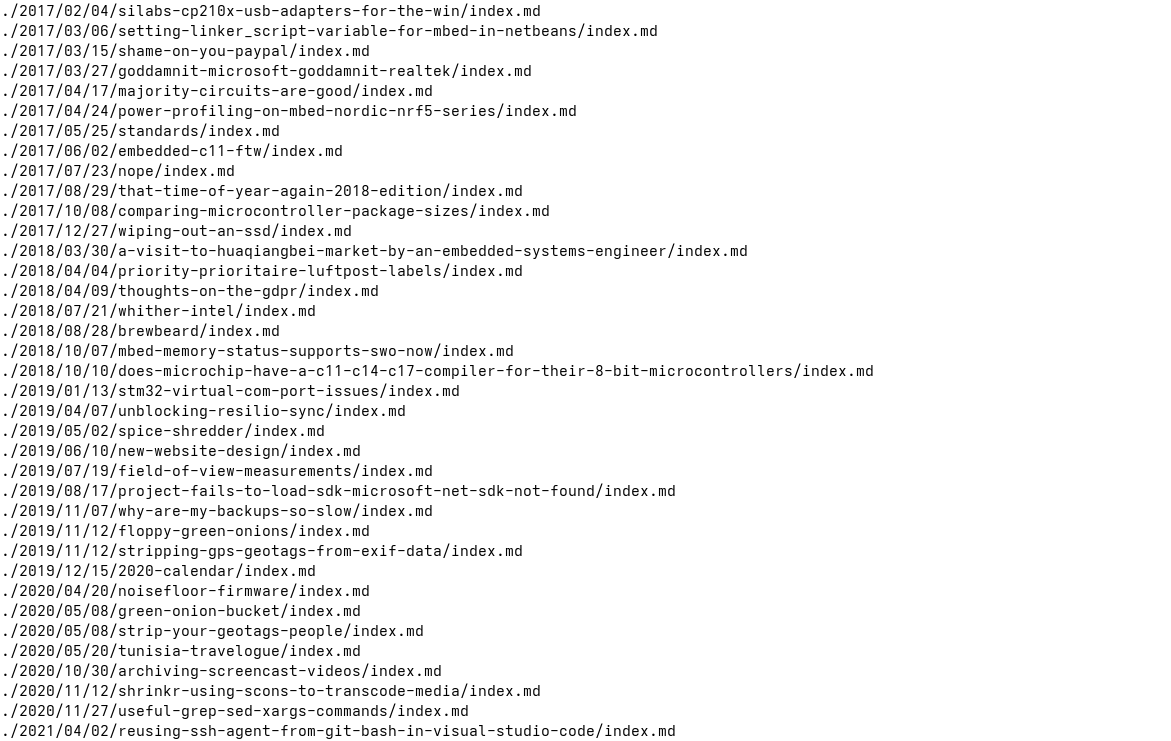
Format Filenames as Monospace

becomes

Summary
In the end, Claude cut the development time for this one-off tool down from probably days to one long evening and a few hours in the morning.
I wanted my writing back, in as simple a format as possible, with as low a cost as possible.
And I got it, no extras.
While this is an enormous time and cost saving for me (human life is an input cost), the even larger benefit is to get over the inertia of finally doing this.
Now I can add these Markdown files as input to a static site generator and preserve the link structure of the old blog, while adding new contents to the blog.
Claude's summary of its own work:
Filtering (files skipped entirely)
- Root index.html
- Anything under author/, category/, tag/
- Any path containing a page/ component (e.g. top-level page/ or nested YYYY/MM/page/)
- Month-level index pages (YYYY/MM/index.html)

HTML Preprocessing (before pandoc)
1. Extract Crayon Syntax Highlighter code blocks, replacing them with placeholders
2. Replace gallery <div> elements with plain <img> tags pointing to full-size images
3. Unwrap <a href="full"><img src="thumb"> links → bare <img src="full">
4. Convert <figure> tags → <img> + caption <p> (wrapped together with <br> for flush layout)
5. Strip all <img> attributes except src and alt

Conversion
6. Run pandoc --from=html --to=markdown --wrap=auto --columns=100

Markdown Postprocessing (after pandoc)
7. Restore Crayon placeholders as backtick code fences
8. Rejoin markdown links/images that pandoc word-wrapped across lines
9. Strip <span> tags from inside code fences
10. Strip {crayon="false"} and other WordPress attribute annotations from fence opening lines
11. Remove stray blockquote > markers between consecutive fences
12. Remove empty code fences
13. Trim leading/trailing blank lines inside fences
14. Remove WordPress <!--more--> link artifacts
15. Word-wrap long copyright/license comment blocks inside code fences
16. Remove lines consisting only of a backslash
17. Fix opening formatting marker spacing (e.g. ** separated from its content)
18. Ensure a blank line before every # header

Frontmatter & Output
19. Build YAML frontmatter: title, date, author: "Max Vilimpoc", tags
    - Tags normalised: tech sub-categories → "Tech", "Brewing" → "Food", "Quiz" → "Uncategorized",
      if "Tech" present all other tags are dropped
20. Write frontmatter + markdown body to output file
It's worth every penny.
Some of the steps even reflect a fundamental shift in what I could expect of the Internet as a platform.
For example, bandwidth is far more plentiful and screens are far higher resolution, so: no more thumbnail images in anchor links, just show the full sized image right there. Don't make people click through.
Having the source code as plaintext for running through a syntax highlighter later is also nice.
Postnotes: Trying Out eleventy
The current blog is now roundtripped back from Markdown to HTML using Eleventy.
It seems to do what I need, without too much fuss.
$ ./node.sh npx @11ty/eleventy --serve
[11ty] Writing ./_site/feed/feed.xml from ./content/eleventy-plugin-feed-blog-title-atom.njk (virtual)
[11ty] Writing ./_site/sitemap.xml from ./content/sitemap.xml.njk
[11ty] Writing ./_site/blog/firstpost/index.html from .//blog/firstpost.md (njk)
[11ty] Writing ./_site/blog/secondpost/index.html from .//blog/secondpost.md (njk)
[11ty] Writing ./_site/tags/index.html from ./content/tags.njk
[11ty] Writing ./_site/blog/index.html from .//blog.njk
[11ty] Writing ./_site/blog/thirdpost/index.html from .//blog/thirdpost.md (njk)
[11ty] Writing ./_site/blog/fifthpost/index.html from .//blog/fifthpost.md (njk)
[11ty] Writing ./_site/index.html from ./content/index.njk
[11ty] Writing ./_site/tags/another-tag/index.html from ./content/tag-pages.njk
[11ty] Writing ./_site/tags/number-2/index.html from ./content/tag-pages.njk
[11ty] Writing ./_site/tags/second-tag/index.html from ./content/tag-pages.njk
[11ty] Writing ./_site/tags/posts-with-two-tags/index.html from ./content/tag-pages.njk
[11ty] Writing ./_site/404.html from ./content/404.md (njk)
[11ty] Writing ./_site/about/index.html from ./content/about.md (njk)
[11ty] Writing ./_site/blog/fourthpost/index.html from .//blog/fourthpost/fourthpost.md (njk)
[11ty/eleventy-img] 1 image optimized (1 deferred)
[11ty] Copied 2 Wrote 16 files in 0.25 seconds (v3.1.2)
[11ty] Watching…
[11ty] Server at http://localhost:8080/
prefixpath Issues
Actually there is some fuss, with the interplay between the prefixpath and the
absolute paths that my existing blog posts were using.
It kept doubling up the prefixpath with subfolders in content/ so I ended up with
/blog/ paths everywhere.
The solution is to move the year-based sorting folders into the main content/ folder
directly, so remove one level of hierarchy.
There were still some /blog/ paths, so I wrote a sed expression to remove them:
find _site -type f -exec sed -i 's|/blog|/blog|g' {} +Image Processor Problem
The other issue was the image processor running on all of my img links which use existing absolute paths to images that I would like to keep where they are.
<img src="/blog/wp-content/uploads/2020/10/image-2-1024x576.png">

The /blog/ needs to go away, and be just /blog, so I wrote a sed expression
to remove them:

find _site -type f -exec sed -i 's|/blog|/blog|g' {} +
eleventy has weird regex issues
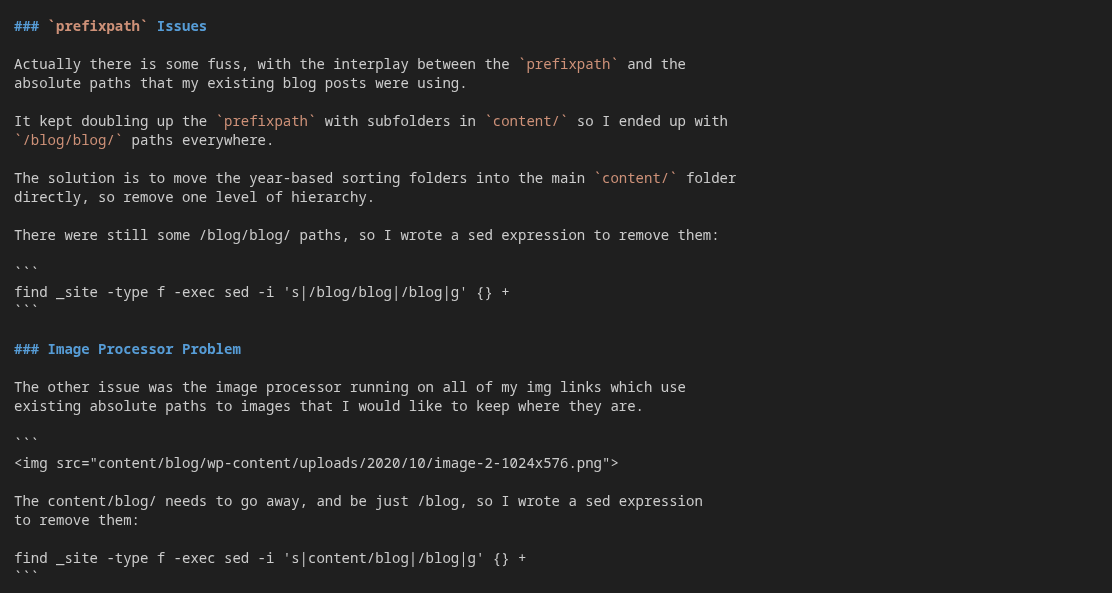
Ok, the statements above are messed up.
In the Markdown they are correct, but eleventy's brute-force regex rewrites the above in magical and mysterious ways.
Here's what they look like.
This is annoying, very annoying.
Set blockquote Types based on contents
❯ Go through the Markdown files and analyze the contents of blockquotes, then set the type of blockquote based on what you think the contents are, i.e. bash commands, source code, etc.