Decluttering CachyOS
Following on from the Useful Oneliners for Ubuntu, I also wanted to clean up my CachyOS system, which I made the mistake of installing a bunch of things natively onto.
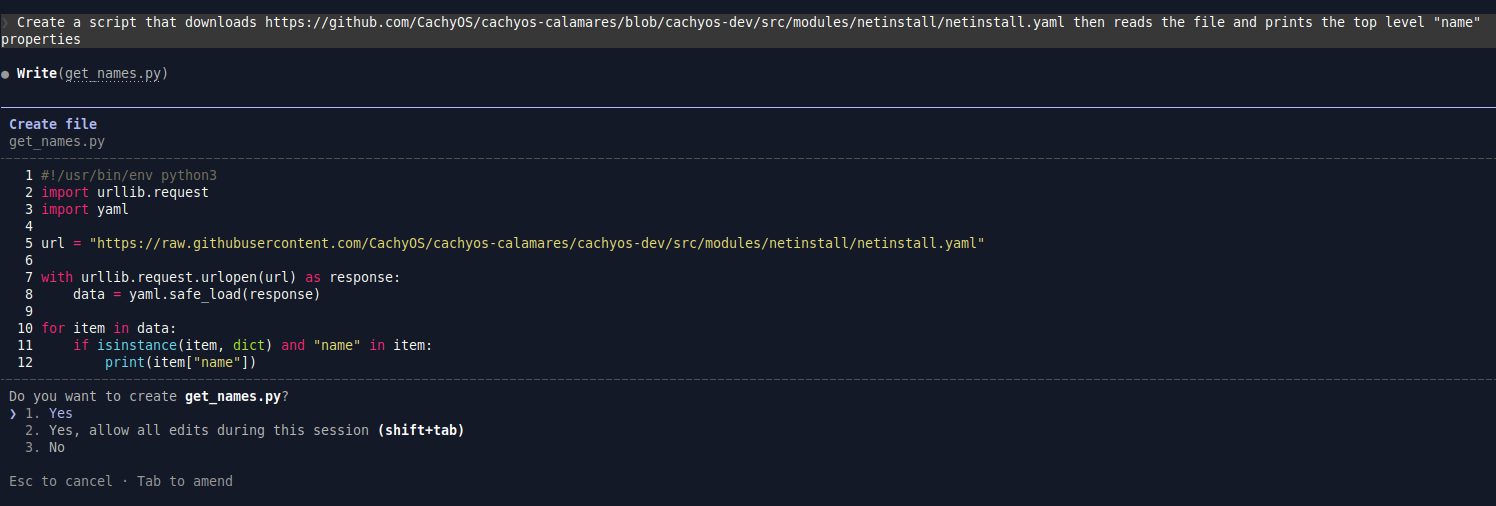
I'm messing around with Claude again, and it's generating me a useful script.
Prompts
Here goes:
- Create a script that downloads https://github.com/CachyOS/cachyos-calamares/blob/cachyos-dev/src/modules/netinstall/netinstall.yaml then reads the file and prints the top level "name" properties
- Cache the file and use the cached file in future calls unless told to download again
- For the names ("CachyOS required (hidden)", "CachyOS Packages", "CachyeOS shell configuration", "Base-devel + Common packages", and "CPU specific Microcode update packages") add all of the listed package names to a list in memory
- Now add command line options based on the names of the remaining groups, if the command line option is passed to the script, add the packages in those subgroups to the base packages list
- Add command line help
- Change the help text slightly, all this does is print a list of packages for different CachyOS desktop environments and optional extras
- Word wrap each line of the command line help to 120 characters
- Add an option to alphabetically sort everything combined
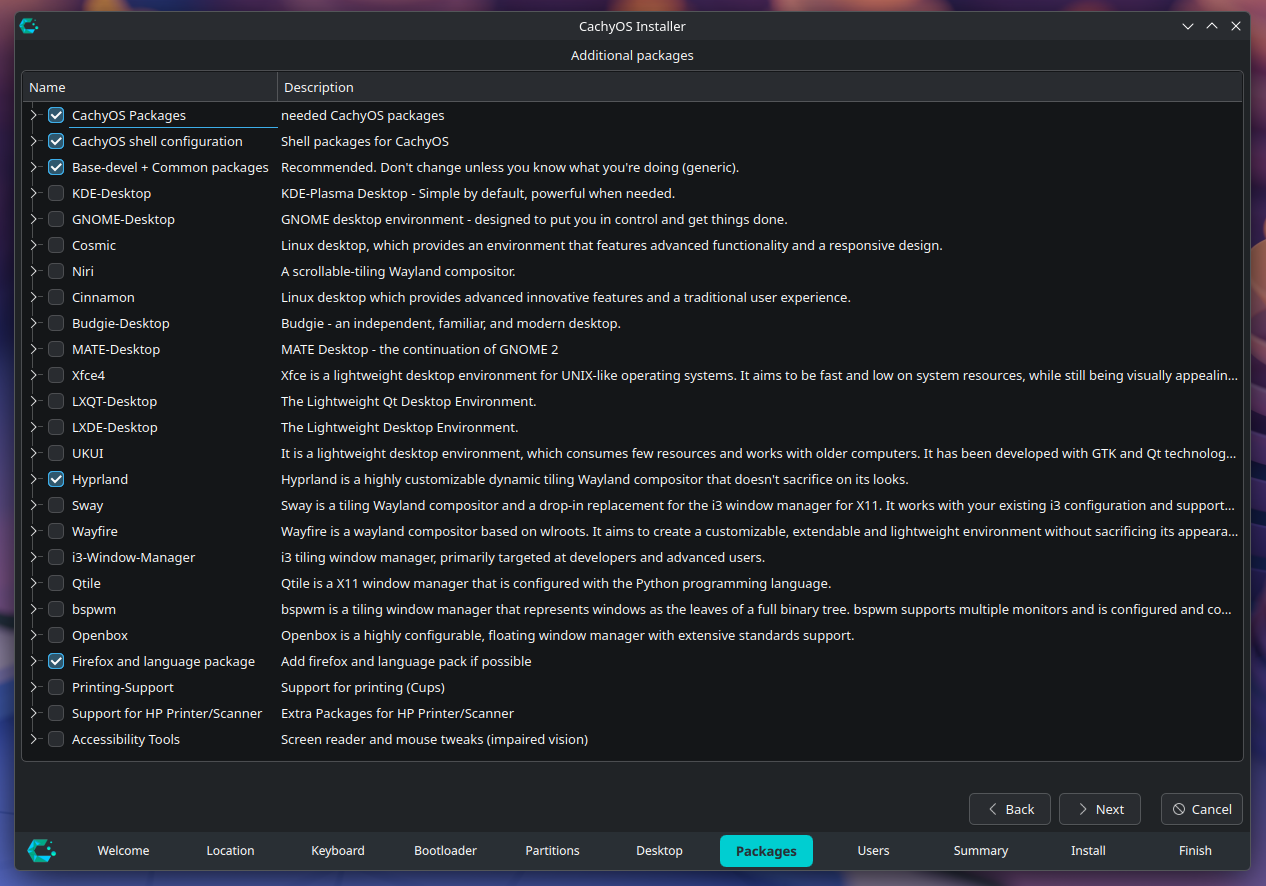
The Optional Package Groups
What It Can Do
Here's the command-line help of the final script:
$ ./get_names.py --help
Usage: get_names.py [OPTIONS] [--<group-flag> ...]

Prints a list of packages for different CachyOS desktop environments and optional extras.

The following base groups are always included:
  - Base-devel + Common packages
  - CPU specific Microcode update packages
  - CachyOS Packages
  - CachyOS required (hidden)
  - CachyOS shell configuration

Options:
  -h, --help     Show this help message and exit
  --refresh      Re-download the package list from GitHub (ignores cache)
  --sort         Sort the output package list alphabetically

Optional package groups:
  --kde-desktop                              KDE-Plasma Desktop - Simple by default, powerful when needed.
  --gnome-desktop                            GNOME desktop environment - designed to put you in control and get things
                                             done.
  --xfce4                                    Xfce is a lightweight desktop environment for UNIX-like operating systems.
                                             It aims to be fast and low on system resources, while still being visually
                                             appealing and user friendly.
  --bspwm                                    bspwm is a tiling window manager that represents windows as the leaves of a
                                             full binary tree. bspwm supports multiple monitors and is configured and
                                             controlled through messages.
  --budgie-desktop                           Budgie - an independent, familiar, and modern desktop.
  --cinnamon                                 Linux desktop which provides advanced innovative features and a traditional
                                             user experience.
  --cosmic                                   Linux desktop, which provides an environment that features advanced
                                             functionality and a responsive design.
  --i3-window-manager                        i3 tiling window manager, primarily targeted at developers and advanced
                                             users.
  --hyprland                                 Hyprland is a highly customizable dynamic tiling Wayland compositor that
                                             doesn't sacrifice on its looks.
  --niri                                     A scrollable-tiling Wayland compositor.
  --lxde-desktop                             The Lightweight Desktop Environment.
  --lxqt-desktop                             The Lightweight Qt Desktop Environment.
  --mate-desktop                             MATE Desktop - the continuation of GNOME 2
  --openbox                                  Openbox is a highly configurable, floating window manager with extensive
                                             standards support.
  --qtile                                    Qtile is a X11 window manager that is configured with the Python
                                             programming language.
  --sway                                     Sway is a tiling Wayland compositor and a drop-in replacement for the i3
                                             window manager for X11. It works with your existing i3 configuration and
                                             supports most of i3's features, plus a few extras.
  --ukui                                     It is a lightweight desktop environment, which consumes few resources and
                                             works with older computers. It has been developed with GTK and Qt
                                             technologies. Its visual appearance is similar to Windows 7, making it
                                             easier for new users of Linux.
  --wayfire                                  Wayfire is a wayland compositor based on wlroots. It aims to create a
                                             customizable, extendable and lightweight environment without sacrificing
                                             its appearance.
  --firefox-and-language-package             Add firefox and language pack if possible
  --printing-support                         Support for printing (Cups)
  --support-for-hp-printer-scanner           Extra Packages for HP Printer/Scanner
  --accessibility-tools                      Screen reader and mouse tweaks (impaired vision)
Output
Here's what it outputs for the CachyOS options I originally chose:
$ ./get_names.py --gnome-desktop --firefox-and-language-package --printing-support --support-for-hp-printer-scanner --sort
Using cached file: /home/max/Downloads/idea-cleanup-cachyos-host/netinstall.yaml
accountsservice
alacritty
alsa-firmware
alsa-plugins
alsa-utils
amd-ucode
awesome-terminal-fonts
bash-completion
bluez
bluez-hid2hci
bluez-libs
bluez-obex
bluez-utils
btop
cachyos-fish-config
cachyos-hello
cachyos-hooks
cachyos-kernel-manager
cachyos-keyring
cachyos-micro-settings
cachyos-mirrorlist
cachyos-packageinstaller
cachyos-rate-mirrors
cachyos-settings
cachyos-v3-mirrorlist
cachyos-v4-mirrorlist
cachyos-wallpapers
cachyos-zsh-config
cantarell-fonts
chwd
cpupower
cups
cups
cups-filters
cups-filters
cups-pdf
cups-pdf
dmidecode
dmraid
dnsmasq
dnsutils
duf
efitools
ethtool
fastfetch
ffmpegthumbnailer
file-roller
firefox
firefox-i18n-$LOCALE
foomatic-db
foomatic-db-engine
foomatic-db-gutenprint-ppds
foomatic-db-nonfree
foomatic-db-nonfree-ppds
foomatic-db-ppds
fsarchiver
fwupd
gdm
gedit
ghostscript
git
glances
gnome-backgrounds
gnome-calculator
gnome-console
gnome-control-center
gnome-disk-utility
gnome-keyring
gnome-nettool
gnome-power-manager
gnome-shell
gnome-tweaks
gnome-usage
gsfonts
gst-libav
gst-plugin-pipewire
gst-plugins-bad
gst-plugins-ugly
gutenprint
gvfs-afc
gvfs-gphoto2
gvfs-mtp
gvfs-nfs
gvfs-smb
hdparm
hplip
hwdetect
hwinfo
intel-ucode
iwd
libdvdcss
libgsf
libnma
libopenraw
linux-cachyos
linux-cachyos-headers
linux-cachyos-lts
linux-cachyos-lts-headers
linux-firmware
loupe
lsscsi
malcontent
meld
mesa-utils
micro
modemmanager
mtools
nano
nano-syntax-highlighting
networkmanager
networkmanager-openvpn
nfs-utils
nilfs-utils
noto-fonts
noto-fonts-cjk
noto-fonts-emoji
nss-mdns
octopi
openssh
pacman-contrib
papers
paru
pavucontrol
pipewire-alsa
pipewire-pulse
pkgfile
plocate
poppler-glib
power-profiles-daemon
pv
python-defusedxml
python-packaging
python-pyqt5
python-reportlab
rebuild-detector
reflector
ripgrep
rsync
sg3_utils
showtime
simple-scan
smartmontools
sof-firmware
splix
sushi
system-config-printer
ttf-bitstream-vera
ttf-dejavu
ttf-liberation
ttf-meslo-nerd
ttf-opensans
ufw
unrar
unzip
upower
usb_modeswitch
vim
vlc-plugins-all
wget
wireless-regdb
wireplumber
wpa_supplicant
xdg-user-dirs
xdg-utils
xl2tpd
Now What?
Now I can use this to compare the list of original installed packages to the list of currently-installed packages.
This is similar to what I did previously with Ubuntu's install manifests.
The idea is to clean up my CachyOS host system, to remove all the cruft, and put as many of those userspace commands into Docker container calls, and so on.
Useful Oneliners: Comparing CachyOS Installed Packages and Original Install Manifest Lists
diff -y <(pacman -Q | awk '{print $1}') <(./get_names.py --gnome-desktop --firefox-and-language-package --printing-support --support-for-hp-printer-scanner --sort)Ok this one's a bit of a mess compared to Ubuntu, because there's a lot of fanout from the packages in the install manifests to what is then installed on the system.
These seem to be meta packages and a lot of noise.
This isn't particularly useful. What I need instead is a directed graph showing which packages cause the most other packages to be installed, and can be cleaned up.
Using cached file: /home/max/Downloads/idea-cleanup-cachyos-host/netinstall.yaml
7zip                                                      <
a52dec                                                    <
aalib                                                     <
abseil-cpp                                                <
accountsservice                                           accountsservice
acl                                                       | alacritty
adobe-source-han-sans-cn-fonts                            <
adobe-source-han-sans-jp-fonts                            <
adobe-source-han-sans-kr-fonts                            <
adwaita-cursors                                           <
adwaita-fonts                                             <
adwaita-icon-theme                                        <
adwaita-icon-theme-legacy                                 <
alsa-card-profiles                                        <
alsa-firmware                                             alsa-firmware
alsa-lib                                                  <
alsa-plugins                                              alsa-plugins
alsa-topology-conf                                        <
alsa-ucm-conf                                             <
alsa-utils                                                alsa-utils
amd-ucode                                                 amd-ucode
ananicy-cpp                                               <
android-file-transfer                                     <
android-tools                                             <
android-udev                                              <
aom                                                       <
apache                                                    <
appstream                                                 <
apr                                                       <
apr-util                                                  <
archlinux-keyring                                         <
argon2                                                    <
aribb24                                                   <
aribb25                                                   <
at-spi2-core                                              <
atkmm                                                     <
atomicparsley                                             <
attr                                                      <
audit                                                     <
autoconf                                                  <
automake                                                  <
avahi                                                     <
awesome-terminal-fonts                                    awesome-terminal-fonts
baobab                                                    <
Claude's Neat Automatic Tricks
The original command-line help wasn't word wrapped:
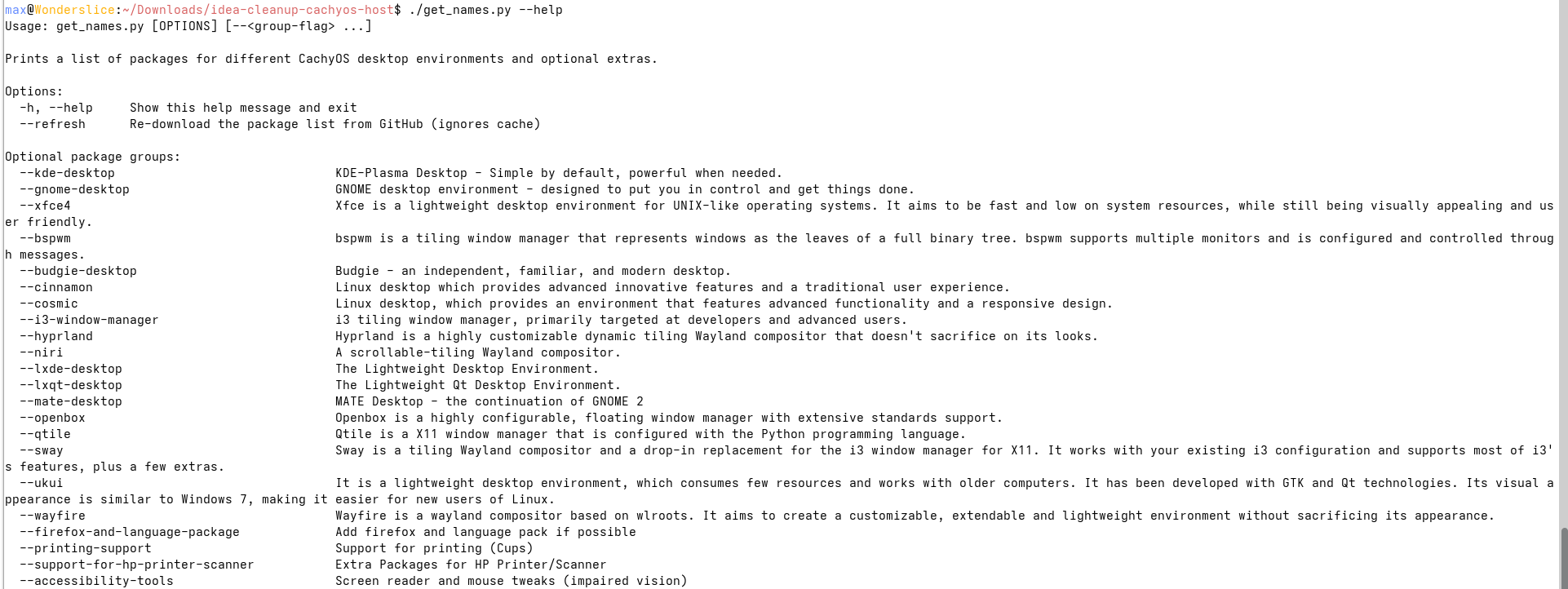
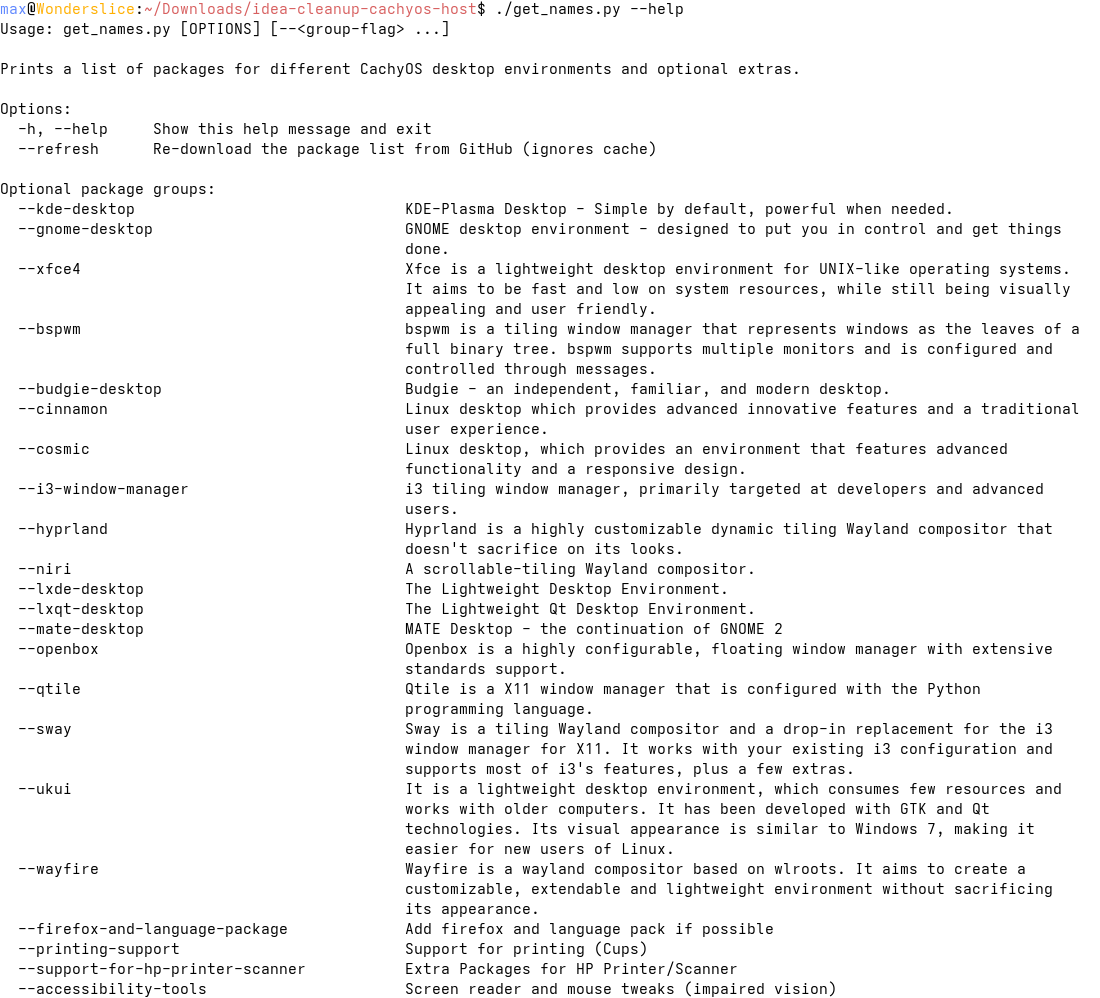
The word wrap was cleverer than I even asked it to be, and I was testing what it would do. It wrapped and aligned the description text automatically. Nice going!
The Script Itself
#!/usr/bin/env python3
import re
import sys
import urllib.request
import yaml
from pathlib import Path

url = "https://raw.githubusercontent.com/CachyOS/cachyos-calamares/cachyos-dev/src/modules/netinstall/netinstall.yaml"
cache_path = Path(__file__).parent / "netinstall.yaml"

if "--help" in sys.argv or "-h" in sys.argv:
    import io
    temp_data = None
    if cache_path.exists():
        temp_data = yaml.safe_load(cache_path.read_text())
    else:
        print("(Downloading package list to show available groups...)", file=sys.stderr)
        with urllib.request.urlopen(url) as response:
            content = response.read()
        cache_path.write_bytes(content)
        temp_data = yaml.safe_load(cache_path.read_text())

    BASE_GROUPS_HELP = {
        "CachyOS required (hidden)",
        "CachyOS Packages",
        "CachyOS shell configuration",
        "Base-devel + Common packages",
        "CPU specific Microcode update packages",
    }
    optional = [
        item for item in temp_data
        if isinstance(item, dict) and "name" in item and item["name"] not in BASE_GROUPS_HELP
    ]

    print("Usage: get_names.py [OPTIONS] [--<group-flag> ...]")
    print()
    print("Prints a list of packages for different CachyOS desktop environments and optional extras.")
    print()
    print("The following base groups are always included:")
    for name in sorted(BASE_GROUPS_HELP):
        print(f"  - {name}")
    print()
    print("Options:")
    print("  -h, --help     Show this help message and exit")
    print("  --refresh      Re-download the package list from GitHub (ignores cache)")
    print("  --sort         Sort the output package list alphabetically")
    print()
    import textwrap
    print("Optional package groups:")
    for item in optional:
        flag = re.sub(r"[^a-z0-9]+", "-", item["name"].lower()).strip("-")
        desc = item.get("description", "")
        prefix = f"  --{flag:<40} "
        indent = " " * len(prefix)
        wrapped = textwrap.fill(desc, width=120, initial_indent=prefix, subsequent_indent=indent)
        print(wrapped)
    sys.exit(0)

force_download = "--refresh" in sys.argv

if force_download or not cache_path.exists():
    with urllib.request.urlopen(url) as response:
        content = response.read()
    cache_path.write_bytes(content)
    print(f"Downloaded and cached to {cache_path}", file=sys.stderr)
else:
    print(f"Using cached file: {cache_path}", file=sys.stderr)

data = yaml.safe_load(cache_path.read_text())

BASE_GROUPS = {
    "CachyOS required (hidden)",
    "CachyOS Packages",
    "CachyOS shell configuration",
    "Base-devel + Common packages",
    "CPU specific Microcode update packages",
}

def collect_packages(item):
    pkgs = list(item.get("packages") or [])
    for sub in item.get("subgroups") or []:
        pkgs.extend(collect_packages(sub))
    return pkgs

def name_to_flag(name):
    slug = name.lower()
    slug = re.sub(r"[^a-z0-9]+", "-", slug)
    return slug.strip("-")

optional_groups = {
    name_to_flag(item["name"]): item
    for item in data
    if isinstance(item, dict) and "name" in item and item["name"] not in BASE_GROUPS
}

base_packages = []
for item in data:
    if isinstance(item, dict) and item.get("name") in BASE_GROUPS:
        base_packages.extend(collect_packages(item))

for flag, item in optional_groups.items():
    if f"--{flag}" in sys.argv:
        base_packages.extend(collect_packages(item))

packages = sorted(base_packages) if "--sort" in sys.argv else base_packages
for pkg in packages:
print(pkg)- ← Previous
Reviving My Blog - Checking Broken Links